Choosing the right Bricks Builder developer can make a significant difference to your WordPress website’s design, performance, maintainability, and ability to support business growth. Whether you are launching a new business website, redesigning an existing site, migrating from another page builder, or outsourcing development for your agency, you need more than someone who can arrange elements on a page.
Quick Answer
To hire the right Bricks Builder developer, evaluate their WordPress expertise, responsive design skills, experience with dynamic content and integrations, and understanding of technical SEO and website performance. Review relevant portfolio projects, compare proposals based on scope and deliverables rather than price alone, and confirm ownership, revisions, testing, and post-launch support before signing an agreement. Choose a freelancer, specialist agency, or white-label development partner based on your project’s complexity and business requirements.
You need a development partner who understands WordPress, responsive design, reusable components, dynamic content, technical SEO, and the requirements of your business.
This guide explains how to hire a Bricks Builder developer, which technical skills to look for, what affects development costs, and how to evaluate freelancers and specialist agencies before making a decision.
If you already know what you need, explore our Bricks Builder development services to understand how a specialist development partner can support your project.
What Does a Bricks Builder Developer Do?
A Bricks Builder developer creates, customizes, and maintains WordPress websites using Bricks, a visual website builder that supports responsive layouts, reusable styling, templates, dynamic content, and custom development.
Unlike someone who focuses only on visual design, an experienced developer considers how the website is structured, how content is managed, how visitors navigate the site, and how the website can be maintained as the business grows.
Typical responsibilities include the following.
Custom WordPress Website Development
A Bricks Builder developer can build business websites, service pages, landing pages, blog layouts, portfolio websites, and other WordPress experiences.
Depending on the project, the work may include:
- Creating page layouts from a design file, wireframe, or reference website.
- Building headers, footers, navigation menus, and reusable page templates.
- Implementing typography, colors, spacing, and brand styles.
- Creating service pages, blog archives, and individual post templates.
- Integrating forms, third-party tools, and other WordPress functionality.
- Configuring website settings and preparing the site for launch.
If you are starting from scratch, consider your custom WordPress website design requirements before requesting a quote.
Responsive Design and Reusable Components
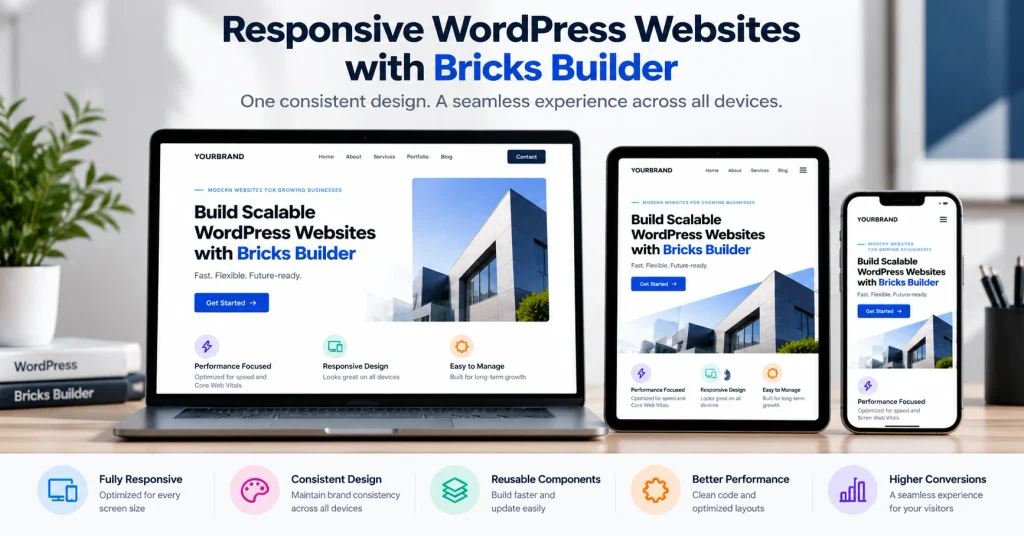
A business website must work across desktop computers, tablets, and smartphones. A developer should understand responsive layouts and test how content behaves at different screen widths.
They should also use reusable components, global styles, CSS classes, and design variables where appropriate. These practices help maintain consistency and make future updates easier.
For example, if your website has 20 service pages, a reusable service-page template can reduce the effort required to update common elements across those pages.
Explore the official Bricks design features to learn more about responsive layouts, reusable classes, variables, and global styles.
Dynamic Content, Custom Fields, and Integrations
Some websites need more than static pages. They may include service directories, case studies, property listings, team profiles, resource libraries, or custom content types.
A qualified developer should know how to work with WordPress custom post types, taxonomies, custom fields, and dynamic templates when the project requires them.
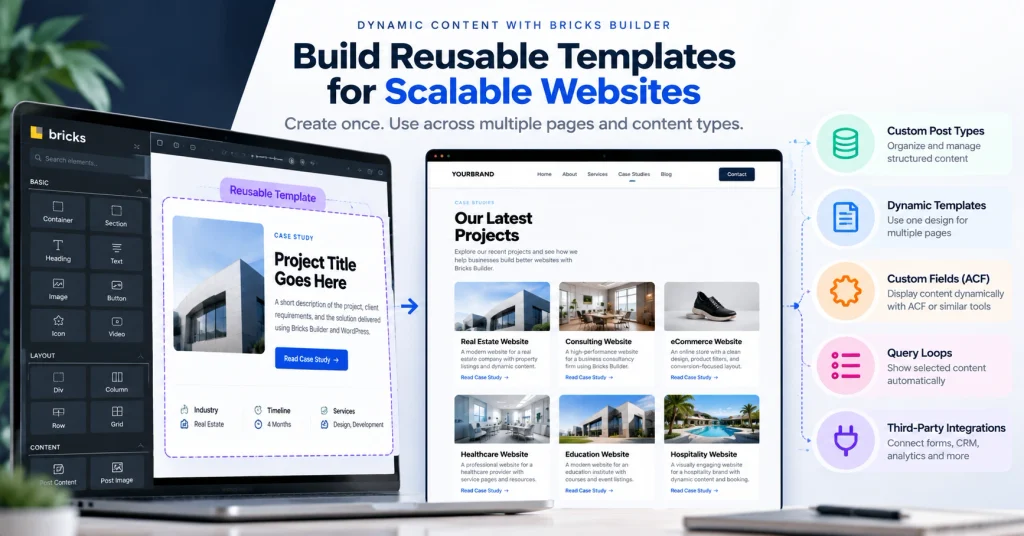
Common examples include:
- Displaying case studies from a structured content library.
- Creating reusable templates for blog posts and service pages.
- Connecting custom fields through tools such as Advanced Custom Fields (ACF).
- Building query loops to display selected content automatically.
- Integrating forms, CRM systems, analytics tools, or other business applications.
Bricks supports dynamic data from WordPress and compatible custom-field tools. See the Bricks dynamic data documentation for additional details.
Website Maintenance and Performance Optimization
A website needs ongoing attention after launch. Depending on the agreement, a developer may help with bug fixes, layout improvements, plugin compatibility, performance investigations, and new functionality.
Performance work can include image optimization, reducing unnecessary scripts, reviewing caching settings, and investigating slow page elements. The appropriate approach depends on the website’s hosting, theme, plugins, assets, and configuration.
A developer should also understand the relationship between performance and user experience. Google’s Core Web Vitals guidance explains how loading performance, responsiveness, and visual stability are measured.
When Should You Hire a Bricks Builder Developer?
You do not necessarily need to hire a developer for every minor website edit. However, specialist help can be valuable when the project involves complex layouts, migrations, custom functionality, or work that needs to be delivered reliably.
Building a New Business Website
Consider hiring a developer when you need a professional website that reflects your brand, explains your services, and encourages visitors to take action.
A new website project may include:
- Homepage and service-page development.
- Contact forms and lead-generation functionality.
- Responsive navigation and page layouts.
- Blog and resource templates.
- Basic technical SEO implementation.
- Analytics and conversion tracking setup.
- Testing, launch, and handover documentation.
Before requesting a proposal, prepare your sitemap, content, brand assets, required functionality, and examples of websites you like.
Redesigning an Existing WordPress Website
A redesign may be appropriate when the current website looks outdated, performs poorly on mobile devices, is difficult to maintain, or no longer supports your business goals.
Before rebuilding, identify what should be preserved. Existing URLs, useful content, backlinks, analytics, conversion paths, and search visibility may all matter.
A responsible developer should discuss URL changes, redirects, backups, staging, testing, and launch planning before starting the redesign.
If you need to update an existing site, explore our WordPress website redesign services.
Migrating From Elementor or Another Page Builder
You may consider moving to Bricks when your current website needs a different development workflow, a more manageable design system, or a redesigned user experience.
However, migration is not simply a matter of changing the page builder. Existing page layouts, templates, custom fields, forms, scripts, integrations, and responsive styles may need to be recreated or adapted.
A migration project should include:
- An inventory of existing pages, templates, plugins, and integrations.
- A review of current URLs and important organic landing pages.
- A plan for rebuilding layouts and preserving essential functionality.
- Testing on a staging environment.
- Redirect mapping for any URLs that change.
- Final checks before switching the live website.
Learn more about our page-builder-to-Bricks migration service or our CMS-to-Bricks migration service.
Outsourcing WordPress Development for Your Agency
Digital marketing agencies, SEO consultants, designers, and other WordPress agencies sometimes need additional development capacity without hiring a full-time developer.
A white-label development partner may help with:
- Building WordPress websites from approved designs.
- Converting Figma designs into Bricks layouts.
- Developing reusable templates and components.
- Supporting website migrations and redesigns.
- Handling overflow development work.
- Providing technical implementation while your agency manages the client relationship.
Before outsourcing, agree on communication, turnaround expectations, quality assurance, confidentiality, client ownership, and who will handle revisions.
What Skills Should a Bricks Builder Developer Have?
Not every project requires the same technical depth. A simple brochure website may need a different skill set from a dynamic directory or a complex business website.
Use the following checklist to evaluate a developer against your actual requirements.
Bricks Builder and WordPress Expertise
Look for practical experience with the features your project requires, such as:
- Bricks templates and theme styles.
- Header, footer, and navigation development.
- Responsive editing and reusable CSS classes.
- Global styles and design-system implementation.
- Dynamic data and query loops.
- WordPress menus, media, pages, posts, and taxonomies.
- Plugin configuration and compatibility troubleshooting.
Ask the developer to explain how they would structure your website and make future changes manageable.
You can also review the official Bricks Academy documentation to understand the builder’s capabilities.
HTML, CSS, JavaScript, and Responsive Design
Visual development tools reduce the need to write code for every task, but knowledge of web technologies remains valuable.
A developer with appropriate coding skills can investigate layout issues, create custom styling, troubleshoot interactions, and implement functionality beyond standard builder controls.
Depending on your project, relevant skills may include:
- HTML for semantic page structure.
- CSS for layout, responsive behavior, typography, and animations.
- JavaScript for interactive functionality.
- Basic PHP for WordPress hooks and custom functionality.
- Browser developer tools for diagnosing problems.
- Responsive testing across devices and screen widths.
You do not need to require advanced custom coding for every project. Instead, confirm that the developer’s skills match your website’s complexity.
ACF, Custom Post Types, and Dynamic Data
If your website contains structured content, ask about the developer’s experience with custom post types, custom fields, taxonomies, and dynamic templates.
For example, an agency with 30 case studies may benefit from a structured case-study content type and a reusable template rather than manually designing every case-study page.
Ask the developer to explain:
- How content will be stored and edited.
- Which custom fields or plugins are needed.
- How templates will display dynamic information.
- How new content can be added without breaking the layout.
- Whether custom functionality requires ongoing maintenance.
Technical SEO and Core Web Vitals
A website can look excellent but still have technical problems that affect crawling, usability, and performance.
Your developer should understand how development decisions affect SEO implementation, including:
- Heading hierarchy and semantic HTML.
- Page titles, meta descriptions, and indexability settings.
- XML sitemaps and canonical URLs.
- Redirects during migrations and redesigns.
- Image dimensions, file sizes, and alternative text.
- Mobile usability and internal linking.
- Performance testing and Core Web Vitals.
Google identifies three Core Web Vitals metrics: Largest Contentful Paint (LCP), Interaction to Next Paint (INP), and Cumulative Layout Shift (CLS). Its guidance describes good target thresholds of 2.5 seconds or less for LCP, less than 200 milliseconds for INP, and 0.1 or less for CLS.
These metrics are useful evaluation criteria, but a particular score cannot guarantee higher search rankings. Results can also vary by device, network, page, and measurement method.
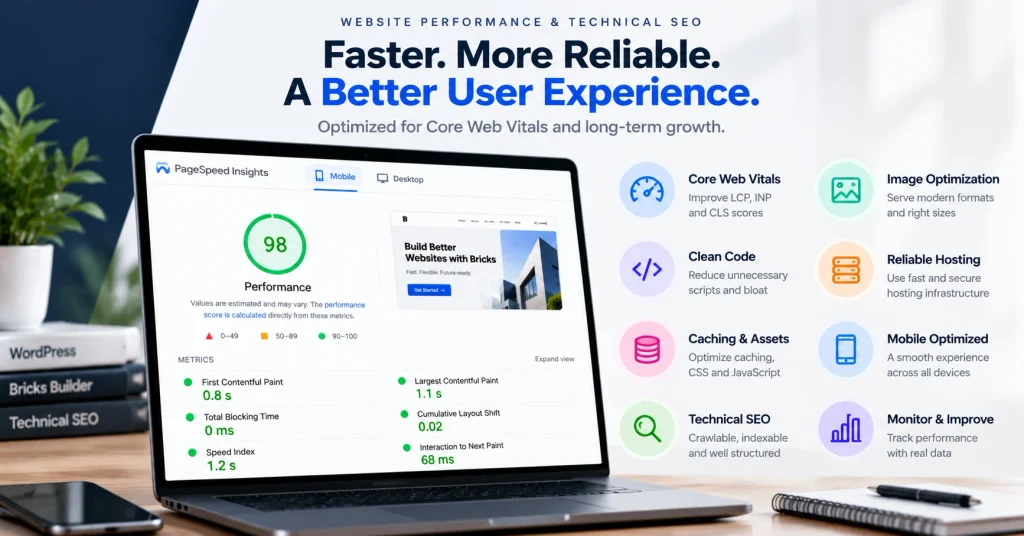
For more details, consult Google’s Core Web Vitals documentation.
Forms, Analytics, and Third-Party Integrations
If your website generates leads, ensure the developer understands how to implement and test the integrations your business relies on.
Examples include:
- Contact and enquiry forms.
- CRM or email marketing integrations.
- Google Analytics 4 (GA4).
- Google Tag Manager (GTM).
- Conversion tracking for form submissions and other important actions.
- Booking systems, chat tools, and external APIs.
Do not settle for a statement that tracking has been installed. Ask how events will be tested, how duplicate conversions will be avoided, and how successful submissions will be verified.
How Much Does It Cost to Hire a Bricks Builder Developer?
There is no single price for hiring a Bricks Builder developer. The total cost depends on the scope of the project, design complexity, functionality, content requirements, integrations, migration work, testing, and ongoing support.
A small website with a few standard pages has different requirements from a large website with custom post types, advanced integrations, and multiple templates.
Instead of comparing prices alone, compare the work included in each proposal.
Factors That Affect Development Costs
| Cost factor | Why it matters |
|---|---|
| Number of unique page templates | More unique layouts generally require more design and development work. |
| Design complexity | Custom interactions, animations, and detailed layouts may increase implementation time. |
| Responsive requirements | Every layout needs to be checked and refined across relevant screen sizes. |
| Dynamic content | Custom post types, fields, query loops, and dynamic templates add complexity. |
| Integrations | CRM, booking, analytics, and third-party integrations require configuration and testing. |
| Migration requirements | Rebuilding existing pages, preserving URLs, and testing redirects add work. |
| Content and SEO requirements | Content entry, metadata, redirects, and technical checks may be part of the scope. |
| Testing and launch | Staging, browser checks, bug fixes, deployment, and handover take time. |
| Ongoing support | Maintenance, updates, troubleshooting, and future improvements may require a separate agreement. |
Freelancer vs. Specialist Agency vs. White-Label Partner
Different providers suit different business needs. The best choice depends on the complexity of the project, your management capacity, and whether you need a one-time build or ongoing development support.
| Consideration | Freelancer | Specialist development agency | White-label development partner |
|---|---|---|---|
| Typical arrangement | Direct engagement with an individual | Engagement with a development team or business | Development support for another agency |
| Communication | Usually direct | May involve a project manager and developers | Often coordinated with your agency’s team |
| Project capacity | Depends on individual availability | May support multiple disciplines | Can provide additional capacity for client projects |
| Client relationship | Usually yours as the client | Usually direct with the agency | Often managed by your agency |
| Branding | Usually under the freelancer’s identity | Usually under the agency’s identity | Can be structured to support your agency’s brand |
| Best fit | Clearly scoped projects and direct collaboration | Projects requiring broader delivery support | Agencies needing outsourced development capacity |
A freelancer may be suitable for a small, well-defined project. A specialist agency may be appropriate when you need a broader development process. A white-label partner may be useful when your agency wants to deliver client projects without building an in-house development team.
These are general patterns, not guarantees. Individual providers vary in their skills, processes, and availability.
Fixed-Price Projects vs. Hourly Development
Fixed-price projects are useful when the requirements and deliverables can be defined in advance. The agreement should explain what is included, how revisions work, and what happens if the scope changes.
Hourly development can suit ongoing improvements, troubleshooting, or projects where the requirements may evolve. Ask for an estimate, an explanation of how time is tracked, and approval before significant additional work.
For either model, confirm:
- What deliverables are included.
- Who provides content, images, and design files.
- Which plugins, licences, and hosting costs are separate.
- How many revision rounds are included.
- How additional work is approved and billed.
- What testing and handover will be provided.
How to Compare Quotes and Deliverables
When comparing proposals, ask each provider to quote against the same project brief.
| Proposal item | What to confirm |
|---|---|
| Project scope | Which pages, templates, and features will be built? |
| Design and development | Is the provider implementing your design or creating one? |
| Responsive implementation | Which devices and breakpoints will be checked? |
| SEO requirements | Are metadata, redirects, indexing checks, and technical requirements included? |
| Integrations | Which forms, analytics events, and third-party tools are covered? |
| Revisions | How many rounds are included, and what counts as additional work? |
| Ownership | Who controls the website, files, accounts, and required licences? |
| Launch and support | Is deployment included, and what post-launch support is available? |
A lower quote is not necessarily the better value if essential testing, functionality, documentation, or support is missing.
How to Evaluate a Bricks Builder Developer
Before hiring, assess the provider’s work, communication, technical approach, and ability to deliver the project you have described.
Review Relevant Portfolio Projects
Ask for examples that are similar to your intended website. A developer who has built a simple business website may not have experience with a complex directory or membership platform.
Review each example for:
- Visual consistency and brand alignment.
- Navigation and page structure.
- Quality of mobile layouts.
- Content organization.
- Relevant functionality.
- Similarity to your project’s technical requirements.
Ask what the developer personally handled on each project. A portfolio can include work completed by a team, so clarify the individual’s contribution.
You can explore the Bricks Builder Agency portfolio to review relevant examples of website work.
Check Mobile Responsiveness and Accessibility
Open portfolio examples on a phone as well as a desktop. Look for layouts that adapt naturally instead of shrinking desktop content into a narrow screen.
Check whether:
- Text is readable without unnecessary zooming.
- Navigation and buttons work on touchscreens.
- Forms can be completed comfortably.
- Content does not overflow horizontally.
- Images retain appropriate proportions.
- Keyboard navigation and visible focus states work.
- Headings and form controls are understandable.
A visual inspection is useful, but it is not a complete accessibility audit. For more guidance, consult the WordPress Theme Accessibility Handbook.
Ask About Performance Testing and Technical SEO
Ask the developer how they will test the website before launch.
A reasonable process may include:
- Running relevant pages through Google PageSpeed Insights.
- Reviewing mobile and desktop performance results.
- Investigating large images and unnecessary scripts.
- Checking responsive behavior and layout shifts.
- Verifying important URLs, redirects, and indexability.
- Testing forms and conversion events.
- Documenting any remaining limitations or recommended improvements.
Be cautious of guarantees that every page will receive a perfect performance score. Results depend on several factors, including hosting, third-party scripts, media, and the testing environment.
Evaluate Code Quality and Maintainability
A website should be manageable after the initial developer finishes the project.
Ask how the developer plans to organize reusable classes, templates, global styles, custom code, and plugin dependencies.
For a larger website, a consistent design system can make future updates easier and reduce inconsistent styling.
Also ask whether custom code will be documented and whether another competent WordPress developer could maintain the site if needed.
Confirm Revisions, Ownership, and Handover
Before signing an agreement, confirm:
- The number of included revision rounds.
- The process for approving design and functionality.
- Ownership and administrative access to the website.
- Access to hosting, domain, analytics, and relevant accounts.
- Licence requirements for premium plugins or assets.
- Backup and rollback arrangements.
- Handover documentation and training.
- Post-launch bug-fix and support terms.
Ensure that the agreement clearly distinguishes between project deliverables, third-party licence costs, and ongoing maintenance.
Questions to Ask Before Hiring a Bricks Builder Developer
Use these questions during an initial consultation or proposal review.
What Is Included in the Project Scope?
Ask for a written list of pages, templates, integrations, content responsibilities, testing requirements, and deliverables.
Clarify whether design, development, copywriting, migration, SEO implementation, and ongoing maintenance are included or quoted separately.
Who Owns the Website and Software Licences?
Confirm who will own or control the website, domain, hosting account, custom code, and project files.
Ask which premium plugins, themes, fonts, images, or other licensed assets are required. Understand whether licences are transferable, client-owned, or dependent on the developer’s subscription.
How Will Testing and Launch Be Managed?
Ask whether the developer will use a staging environment, create backups, test forms and integrations, check responsive layouts, and verify important redirects before launch.
Also confirm who is responsible for deployment and what happens if a problem appears after the site goes live.
What Support Is Available After Launch?
Clarify the duration and scope of any post-launch bug-fix period.
Ask whether future improvements, WordPress updates, plugin updates, backups, security monitoring, and emergency support are included or available through a separate maintenance plan.
Should You Hire a Freelancer or a White-Label Bricks Builder Agency?
The decision depends on whether you are commissioning a website for your own business or delivering websites for your clients.
When a Freelancer Makes Sense
A freelancer may be a good fit when:
- Your project has a clear, limited scope.
- You can communicate directly with the developer.
- You need a specific skill or implementation task.
- You have the capacity to manage the project and review deliverables.
- You have a clear plan for support after launch.
Before hiring, confirm availability, delivery dates, backup arrangements, and how the project will be handled if the freelancer becomes unavailable.
When a Specialist Development Agency Is a Better Fit
A specialist agency may suit projects requiring several types of work, multiple templates, custom functionality, or structured delivery and testing.
Potential benefits include access to a broader set of skills, a defined workflow, and additional capacity. However, the actual level of support depends on the agency’s team and processes.
Ask who will work on your project, who will be your point of contact, how quality will be reviewed, and how changes will be handled.
What Agencies Should Confirm Before Outsourcing
If you run a design, SEO, or digital marketing agency, evaluate a potential white-label partner as an extension of your delivery team.
Before starting, confirm:
- Scope: What tasks will the partner handle, and what remains with your agency?
- Branding: Can deliverables and communication follow your agreed client-facing process?
- Confidentiality: Are non-disclosure and client-confidentiality requirements documented?
- Communication: How will progress, questions, and blockers be reported?
- Quality assurance: Who tests the website before delivery?
- Capacity: Can the partner support your expected workload and deadlines?
- Pricing: Are estimates, revisions, and additional work clearly defined?
- Ownership: Who retains access to the site, files, code, and accounts?
- Support: Who handles post-launch fixes and future requests?
If you need external implementation capacity, explore our Bricks Builder development services and discuss your agency’s requirements before committing to a partnership.
Common Mistakes to Avoid When Hiring a Bricks Builder Developer
Avoid these common hiring mistakes:
- Choosing solely on price. A low quote may exclude important functionality, testing, or handover.
- Ignoring mobile responsiveness. A website must work well on the devices your visitors use.
- Failing to define the scope. Vague requirements lead to misunderstandings about deliverables and additional charges.
- Assuming Bricks automatically guarantees performance. Hosting, media, scripts, plugins, and implementation choices all affect the result.
- Overlooking SEO during a migration. Unplanned URL changes can disrupt existing search visibility and user journeys.
- Skipping staging and backups. Testing before launch reduces the risk of avoidable production problems.
- Ignoring ownership and licences. Confirm access, transferability, and ongoing costs in advance.
- Failing to test forms and analytics. A working visual form does not prove that submissions reach the right destination or that conversion events are recorded correctly.
- Not agreeing on post-launch support. Make responsibilities clear before the project starts.
- Hiring without checking communication. Clear updates and prompt clarification can prevent delays and rework.
Bricks Builder Developer Hiring Checklist
Use this checklist before selecting a provider.
- I have documented the website’s goals and target audience.
- I have listed required pages, templates, and functionality.
- I have identified necessary integrations and custom content requirements.
- I have reviewed relevant portfolio examples.
- I have checked mobile layouts and basic accessibility.
- I have discussed technical SEO and performance testing.
- I have compared proposals against the same scope.
- I understand the revision policy and additional-work charges.
- I have confirmed website ownership, access, and licence requirements.
- I understand the staging, backup, testing, and launch process.
- I have agreed on post-launch support and maintenance responsibilities.
- I have a written proposal or agreement covering deliverables and payment terms.
Hiring tip: Ask shortlisted developers to explain how they would approach one representative page from your project. Their explanation can reveal how they think about design, reusable components, content structure, responsive behavior, and maintainability.
Frequently asked questions
Common questions about hiring a Bricks Builder developer, evaluating skills, comparing costs, and choosing the right WordPress development partner.
How Do I Hire a Bricks Builder Developer?
Start by defining your project requirements, budget, timeline, and required functionality. Review relevant portfolio work, evaluate technical skills, compare written proposals, and confirm ownership, revisions, testing, and post-launch support before signing an agreement.
Is Bricks Builder Suitable for Business Websites?
Yes. Bricks can be used to build business websites, service pages, blogs, portfolios, dynamic content websites, and WooCommerce experiences. Suitability depends on your functional requirements, implementation approach, hosting, integrations, and maintenance needs.
Can a Bricks Builder Developer Migrate an Elementor Website?
Yes. A developer with relevant migration experience can rebuild an Elementor website using Bricks. The work may involve recreating layouts, templates, responsive styles, forms, dynamic content, and integrations. Existing URLs, metadata, redirects, and important functionality should be reviewed as part of the migration plan.
What Affects the Cost of a Bricks Builder Website?
Costs depend on the number of unique layouts, design complexity, dynamic content, custom functionality, integrations, content preparation, migration requirements, testing, and ongoing support. Request a detailed scope and compare deliverables rather than relying on the quoted price alone.
Can I Outsource Bricks Builder Development to an Agency?
Yes. A business can outsource website development to a specialist agency, while a design or marketing agency can work with a white-label development partner. Before outsourcing, clarify scope, branding, confidentiality, communication, quality assurance, ownership, deadlines, and support.
What Should I Provide Before Requesting a Quote?
Prepare your sitemap, project objectives, design references, brand assets, content status, required integrations, examples of existing pages, preferred timeline, and any technical or SEO requirements. If you have an existing website, provide its URL and identify the functionality that must be retained.
Should I Hire a Bricks Builder Freelancer or Agency?
Choose based on project scope, complexity, management capacity, and support requirements. A freelancer may suit a focused task, while an agency or white-label partner may provide broader delivery capacity. Evaluate each provider's actual skills, process, availability, and proposal.
Ready to Discuss Your Bricks Builder Project?
Hiring the right developer starts with a clear understanding of what your website needs to achieve. Look beyond visual design and consider responsive behavior, content management, maintainability, performance, technical SEO, integrations, and support after launch.
Whether you need a new business website, a redesign, a migration, or development support for your agency, choosing a partner whose experience matches your requirements can help you plan the project more confidently.
Ready to Hire a Bricks Builder Development Partner?
Whether you need a new WordPress website, a migration to Bricks Builder, a website redesign, or white-label development support for your agency, let’s discuss your project requirements and find the right approach for your business.
No-obligation consultation · Tell us about your project
Need help with a Bricks Builder project?
Explore our Bricks Builder development services or discuss your project with our team to explain your requirements and explore the next steps.
You can also contact our team with questions about your website or agency’s development needs.
Editorial note: Project costs, timelines, and deliverables vary by scope and provider. Request a written proposal tailored to your requirements before making a decision.